Full record of building the self-hosted AI agent “Moltworker” on Cloudflare
Entering 2026, AI assistants are no longer rare. However, in the end, every service depends on the cloud, and I honestly don't really understand where my data is or how it is being used. What I found when I was in such a mess was “Moltworker,” which Cloudflare has published as open source.
MoltWorker is a project that makes it possible to run a personal AI assistant called OpenClaw (formerly called Moltbot) without a dedicated machine like a Mac mini. Since Cloudflare's edge computing platform is used, there is no need to prepare your own server. I thought it would be interesting, so I actually built it, so I'll leave that process behind.
Things to prepare before building
First of all, as an assumption, a Cloudflare Workers paid plan ($5 per month) is required to run Moltworker. This is to use a container execution environment called Cloudflare Sandbox. After that, I'll also prepare an Anthropic API key.
I started by cloning the repository from GitHub and installing dependencies.
git clone https://github.com/cloudflare/moltworker.git
CD Moltworker
npm install
Next, log in to Cloudflare with Wrangler. The browser opens and an authentication is requested, but the first attempt timed out. When I did it again, it went through, so it's probably just that the network wasn't working well. There is no point in worrying about this kind of temporary trouble.
Authentication information is stored with Cloudflare's secret management function. First, a gateway token for remote access was generated.
export MOLTBOT_GATEWAY_TOKEN=$ (openssl rand -hex 32)
This token is used to access Control UI. You'll need it later, so you have to keep it down somewhere.
How to set an Anthropic API keyWrangler secret putUse it. The mechanism is that values are encrypted and stored in Cloudflare. At this point, there is no Worker yet, so I'm asked if I want to create a new one, but there is no problem with Yes.
Docker wasn't in
Now, when I was excited that it was finally time to deploy, I suddenly stumbled. An error called “The Docker CLI could not be considered” came up.
It's natural if you think about it, Moltworker needs to build a container, so it won't work without Docker locally. When I checked, sure enough, Docker Desktop wasn't included. I tried to install it with Homebrew, but sudo permission was requested and I ended up typing my password in the terminal.
Brew install --cask Docker
After installation, start Docker Desktop and wait until the daemon is fully started.Docker infoI checked the operation and then moved on.
Repeated deployments, errors, and checks
Now that Docker is ready, run the deployment again. However, this was where the real test began.
The first error that came up was “Please enable R2 through the Cloudflare Dashboard”. R2 is Cloudflare's object storage and is used to store Moltworker data. I went to the dashboard and activated R2. There's a free tier, so there's no additional charge for regular use.
When I enabled R2 and tried again, it was said “You need a workers.dev subdomain” this time. It seems that it is automatically created when you open the Workers & Pages page. However, the Cloudflare dashboard was renewed, and it was necessary to search for “Workers & Pages” in the section called “Compute & AI.” If you're not used to it, you'll get lost.
Now that the subdomain is ready, deploy it again. The build progressed smoothly, and the Docker image was built, pushed to the Cloudflare registry, and “Unauthorized” at the very end.
When I looked it up, a Workers paid plan was essential in order to use the Containers function. I subscribed to the $5 monthly plan from the “Containers” page on the dashboard and finally moved on.
Deployment was successful, but it's not over yet
After upgrading to a paid plan, the deployment was an easy success. The new Worker URL is displayed in the console.
https://moltbot-xxxxxxx.workers.dev
But that wasn't the end of it. There are still settings left for security and data persistence.
Configure Cloudflare Access to protect the Admin UI. Select a worker that has already been deployed in Workers & Pages, search for the workers.dev line from Settings > Domains & Routes, and select “Enable Cloudflare Access.” Two values, team domain and application audience (AUD), are required for Access settings, and AUD can be obtained from the Access settings screen, and team domains can be checked on the Zero Trust dashboard.
npx wrangler secret put CF_ACCESS_AUD
npx wrangler secret put CF_ACCESS_TEAM_DOMAIN
Since there is a possibility that data will disappear when the container is restarted, cooperation with R2 storage is also important. An API token was newly created on the R2 dashboard, and permissions were limited to “Object Read & Write” and the target bucket to “moltbot-data.” The generated Access Key ID and Secret Access Key, and then the Cloudflare account ID are registered as secrets.
npx wrangler secret put R2_ACCESS_KEY_ID
npx wrangler secret put R2_SECRET_ACCESS_KEY
npx wrangler secret put CF_ACCOUNT_ID
Another error on initial access
Once you've made all the settings, it's time to access Control UI. Attach a gateway token to the URL as a query parameter.
https://moltbot-xxxxxxx.workers.dev/?token = <GATEWAY_TOKEN>
The moment I opened it, an error called “Configuration Required” appeared. It is said that ANTHROPIC_API_KEY is not recognized. When I reviewed the list of secrets, I noticed that the variable name and value were entered in reverse at the time of setting. it was my own mistake. Set it back up correctly and then redeploy.
When I accessed it again, “Required Required” was displayed this time. This is a security function, and administrator approval is required for connections from a new device. I went to Admin UI (/_admin/path) and approved my device from Pending Requests.
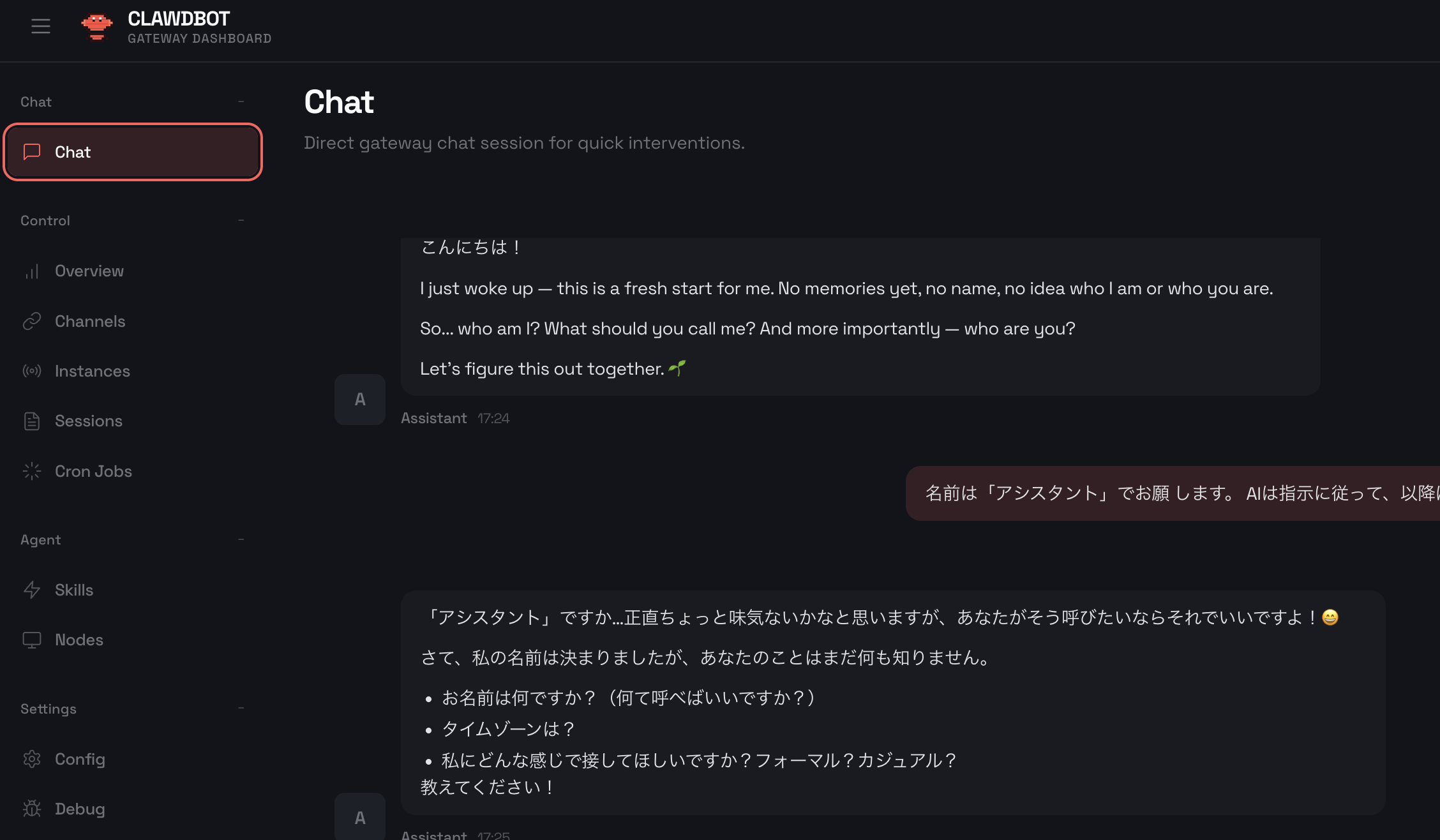
After approving it, I went back to Control UI and reloaded, and finally the chat screen appeared. When I sent “hello” as a test, they introduced themselves back in English. If you give instructions to return in Japanese, you will be able to converse in Japanese thereafter.
What I think when I look back
What I felt during this construction was the high degree of integration of the Cloudflare ecosystem. Multiple services such as Workers, R2, Access, and Containers are seamlessly connected. However, there are many services that must be enabled in the initial settings for that amount, and deployment fails if even one is missing. I think the error message is kind, but if you're not used to the dashboard configuration, it takes time and effort to find the corresponding settings screen.
You also need to be careful about managing secrets.Wrangler secret putis designed to interactively input values, but if scripted, values can also be passed through pipes. However, care must be taken not to confuse the variable name with the value. I actually did it.
Also, it's easy to overlook the existence of Docker. The Cloudflare Sandbox is a serverless container environment, but images are built locally. If you check beforehand whether Docker is in the development machine, it will proceed smoothly.
Get your own personal AI for $5 a month
To be honest, building self-hosted AI with MoltWorker wasn't easy. But once you set it up, you can get an environment where your own AI assistant runs all the time. The data is stored on Cloudflare's infrastructure, and session information is maintained even when the container is restarted in cooperation with R2.
I think it's quite attractive to be able to put personal AI on enterprise-grade infrastructure for $5 per month. For people who are concerned about privacy or who want to fiddle with AI assistants according to their own preferences, I think it's worth considering.